
Did you know battery issues are a big problem for drone owners? With drone sales up 63% from 2014 to 2015, it’s key to know how to fix common problems. Issues like propeller and motor problems, as well as camera and gimbal repairs, can be fixed with the right knowledge.
About 5% of drone crashes are due to build defects, not pilot error. Regular maintenance, like cleaning and checking connections, is vital. Big drone makers like DJI or Parrot have lots of repair info online to help you.
In this article, we’ll cover the most common drone repairs. We’ll teach you how to diagnose and fix issues like battery problems and propeller malfunctions. We’ll also talk about the importance of regular maintenance and when to get professional help.
Key Takeaways
- Battery issues, propeller malfunctions, and motor problems are among the most common drone repairs
- Regular maintenance is essential for preventing drone issues and prolonging the lifespan of your device
- Some minor repairs can be done DIY, but many issues require professional expertise
- Having spare parts, particularly propellers, is crucial as they are most prone to damage
- Seeking help from the drone manufacturer’s online resources or professional repair services can save time and ensure proper fixes
Battery Issues: Diagnosing and Solving Common Problems
Drone enthusiasts face battery issues that can stop their flights. It’s key to fix drone battery issues to keep flying safely. We’ll look at signs, causes, and fixes for these problems.
Signs of Battery Issues
There are signs your drone’s battery might be in trouble:
- Flight times are shorter than before
- Charging is hard or the battery won’t hold a charge
- The drone won’t turn on
- The battery looks swollen or damaged
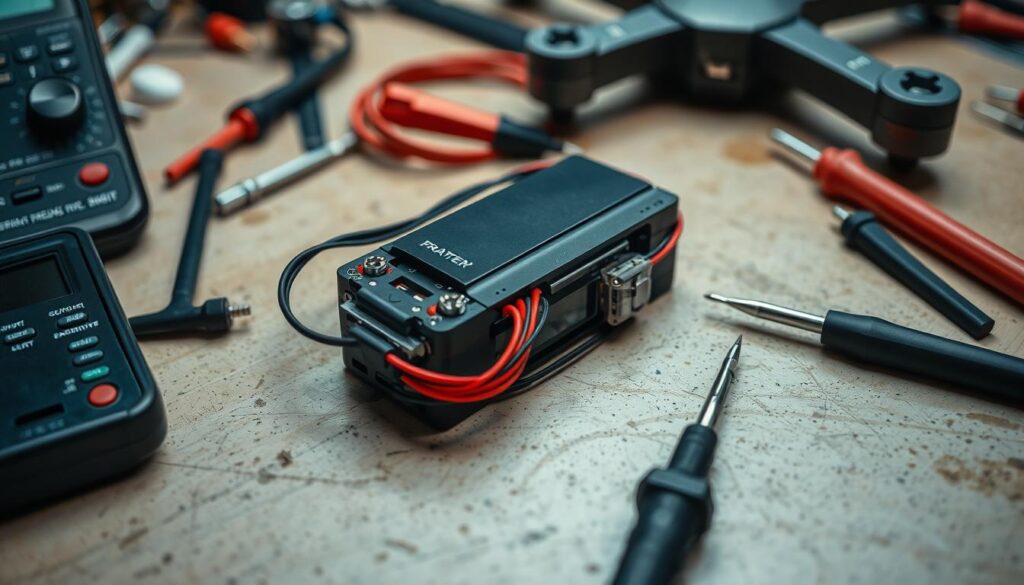
Causes of Battery Problems
Many things can cause battery issues, like:
- Charging too much or too little
- Not using the battery for a long time
- Extreme weather or humidity
- Damage from crashes or bad handling
After 200 charge cycles, the battery starts to lose power. It’s time for a new one.
Knowing why these problems happen helps avoid them. It also makes your drone’s battery last longer.
Solutions for Battery Repairs
Here are ways to fix battery problems:
| Issue | Solution |
|---|---|
| Overcharging or undercharging | Charge and discharge right, as the maker says |
| Extended periods of inactivity | Keep the battery at 40%-65% charge in a cool, dry spot |
| Physical damage or swelling | Get a new, good-quality battery |
| Reduced performance after 200+ cycles | Get a new battery to keep flight times good |
Fixing your battery right can make your drone better and last longer. By watching for problems and fixing them fast, you can keep flying and taking amazing photos.
Propeller Malfunctions: Causes and Fixes
Drone propeller issues can cause big problems for pilots. They might lead to unstable flights or even stop the drone from taking off. About 5% of drone crashes are due to build defects, not pilot mistakes. So, it’s key to fix propeller problems quickly.
Loose or damaged propellers, wrong installation, and battery issues are common problems. Start by checking the propellers for damage or debris. Make sure they are tight and installed right.

If you find damaged propellers, replace them right away. This prevents more issues or losing control. Always have spare propellers ready for quick swaps. Sometimes, problems are due to battery issues or motor damage. Look for damaged wires, even if they’re not easy to see.
Here are some common causes and fixes for propeller problems:
| Cause | Fix |
|---|---|
| Loose propellers | Tighten the propellers securely |
| Damaged propellers | Replace with new propellers |
| Incorrect installation | Reinstall propellers according to manufacturer’s guidelines |
| Obstructions | Remove any debris or materials hindering propeller function |
| Battery issues | Ensure sufficient battery charge and proper connection |
| Unstable controller connection | Check controller battery and synchronization with the drone |
| Gyroscope initialization errors | Properly initialize the gyroscope before flight |
| Motor damage | Inspect motors for smooth functioning and repair or replace if necessary |
If you’re not sure about fixing propellers, get help from experts. In the U.S., there are many drone repair centers. They can fix your drone, including propeller problems, so it’s ready to fly again.
Motor Problems: Troubleshooting and Repair
When our drones have motor issues, they might make strange noises or fly unevenly. These problems can come from wear and tear, damage, or debris. It’s key to fix these problems quickly to keep our drones flying well.
Identifying Motor Issues
The first step is to figure out what’s wrong with the drone’s motor. Look out for signs like:
- Unusual sounds, such as grinding or clicking, when activating the motors
- Uneven or unstable flight performance, such as wobbling or drifting
- Lack of response to control inputs or sluggish movement
To find the problem, we should look at the motors for damage or debris. Also, check the motor connections to make sure they’re secure and not corroded.
Cleaning and Replacing Motors
After finding the problem, we can start cleaning or replacing the motor. Here’s how to do it:
- Cleaning: Use compressed air to get rid of dirt and debris from the motor and propeller. If needed, add lubricant to the bearings to make the motor last longer.
- Replacing: If the motor is too damaged to fix, it’s time for a new one. Make sure to follow the manufacturer’s instructions for the right fit and setup.
iFixScreens, a drone repair expert, says common repairs include:
| Repair Type | Description |
|---|---|
| Propeller replacement | Replace propellers often because they get stressed during flights |
| Motor replacement | Replace damaged motors to make the drone fly smoothly again |
| ESCs check | Check electronic speed controllers to make sure they’re working right |
| Firmware updates | Look for updates from the maker to fix bugs and improve performance |
Regular maintenance, like cleaning motors and swapping out propellers, can really help our drones last longer and avoid bigger problems.
By being quick to fix motor issues, we can keep our drones flying great. This ensures we get the reliable performance we need for our aerial adventures.
Camera and Gimbal Repairs: Restoring Optimal Performance
Getting great aerial shots needs a good camera and gimbal. But, they can get damaged or have problems. This section will cover common issues and how to fix them to make your drone work better.
Common Camera Issues
Drone cameras can have many problems. These include:
- Blurry or out-of-focus footage
- Distorted colors or white balance problems
- Unresponsive camera settings
- Physical damage to the lens or sensor
To find out what’s wrong, first check your camera settings. If it’s still not right, look for any damage or loose parts that need fixing or replacing.
Gimbal Malfunctions and Fixes
A bad gimbal can make your footage shaky or hard to control. Issues like:
- Vibrations or jitters during flight
- Uneven horizon or tilted footage
- Unresponsive gimbal motors
- Physical damage to the gimbal structure
To fix gimbal problems, try recalibrating it. If that doesn’t work, look for damage or blockages. Sometimes, you might need a pro to fix or replace it.
Firmware Updates for Camera and Gimbal
Keeping your drone’s camera and gimbal firmware updated is important. Updates can fix bugs, improve performance, and add new features.
To update your firmware:
- Connect your drone to your computer or mobile device
- Access the manufacturer’s website or companion app
- Check for available firmware updates
- Follow the provided instructions to download and install the update
Regular updates can help avoid software problems and keep your drone running smoothly.
Proper maintenance and timely repairs are key to capturing stunning aerial footage with your drone.
If you’re having trouble with your camera or gimbal, get help from experts in drone camera repairs and gimbal issues. They can find and fix problems, like camera firmware updates, to make your drone work better and avoid blurry footage or shaky footage.
| Service | Turnaround Time | Warranty | Customer Rating |
|---|---|---|---|
| Drone Repairs | Same-day | 180 days | 4.7/5 (4566 reviews) |
GPS and Compass Calibration: Ensuring Accurate Navigation
For a drone to fly well, it needs to navigate accurately. But, drone GPS issues and compass calibration problems can cause navigation problems. This can make the drone drift or have trouble hovering. But, fixing these problems can make your drone fly smoothly and safely.
Poor satellite reception and software bugs often cause GPS and navigation issues. To find the problem, check the GPS signal on your drone’s controller or app. A weak GPS signal can stop your drone from taking off. So, make sure the signal is strong before you fly.
It’s important to regularly calibrate your drone’s compass for good navigation. Calibrating, updating firmware, and avoiding interference can help. Also, hardware problems like a blocked or damaged GPS module can affect the signal. To fix this, ensure clear skies, avoid interference, and consider drones with RTK technology for better accuracy.
To fix GPS and navigation problems, start by updating your drone’s firmware. This can solve software issues. If the problem still exists, recalibrate your drone’s compass as the manufacturer suggests. Sometimes, you need to find a better location for better satellite reception.
“Regularly calibrating your drone’s compass and ensuring a strong GPS signal are essential for accurate navigation and stable flights.”
Understanding drone GPS issues and compass calibration problems helps you fix navigation problems. Regular maintenance, like compass calibration and firmware updates, can prevent drifting and hovering issues. This ensures your drone flies accurately and reliably. If you still have problems, check your drone’s manual or get help from a professional repair service.
Remote Control Malfunctions: Causes and Solutions
Remote control problems can be really frustrating for drone pilots. They make it hard to control and navigate the drone. When you face drone remote control issues, it’s key to troubleshoot the controller carefully.
One big issue is the loss of control signal between the remote and the drone. This can show up as a sudden drop in connection or as controls that don’t work right. Sometimes, the drone won’t respond to controls at all, leaving the pilot with few options.
Diagnosing Remote Control Issues
To figure out remote control problems, follow these steps:
- Make sure the remote and drone batteries are full. Low power can cause signal loss or weird behavior.
- Look for any damage on the remote, like loose connections or worn-out buttons.
- Check if there are any obstacles or interference between the remote and drone, like metal or shiny surfaces.
- Make sure the remote is paired with the drone correctly and on the right channel.
By checking these things, pilots can find out what’s causing their remote control problems.
Fixes for Common Remote Control Problems
After finding the cause of the problem, pilots can try different fixes:
- Change or recharge the batteries in both the remote and the drone to keep them powered up.
- Fix or replace any broken parts, like loose connections or bad buttons.
- Move to a place without interference, like Wi-Fi or other electronics.
- Recalibrate the remote and drone as the maker suggests to get a strong connection back.
Updating the drone’s software can also fix problems caused by bugs. Always check the maker’s help resources and follow their steps carefully.
Following the maker’s instructions for Wi-Fi setup between mobile devices and Tello can prevent disconnection problems.
By tackling drone remote control issues with careful checks and fixes, pilots can cut down on downtime. This makes flying smoother and more enjoyable.
Water Damage: Prevention and Repair
Water can seriously harm drones, leading to expensive fixes. Saltwater is especially dangerous because it can corrode. It’s important for drone owners to know how to prevent and fix water damage.
Risks of Water Exposure
Water can damage several parts of a drone:
- The engine might not work right or won’t start if it’s wet.
- The main board can short circuit and need to be replaced if it gets wet.
- The camera can get ruined by water, causing blurry pictures or not working at all.
- Batteries can become useless or even explode if they get wet, due to chemical reactions.
Steps to Take After Water Damage
If your drone gets wet, act fast to lessen the damage:
- Get the drone out of the water quickly.
- Use deionized water to clean the drone and fight off salt damage.
- Use isopropyl alcohol to dry the drone’s parts and remove water.
- Turn off the drone and dry it completely, making sure all parts are dry.
- Check the drone for water damage and fix any problems right away.
Professional Repair for Water-Damaged Drones
Even with these steps, it’s best to have a pro fix a water-damaged drone. Experts can check the damage and fix it, making your drone work again.
Prevention is always better than cure when it comes to water damage and drones.
To avoid water damage, take these steps:
| Preventive Measure | Description |
|---|---|
| Avoid flying in rainy conditions | Don’t fly your drone when it might rain or is very humid. |
| Take precautions near water | Be careful and stay far away when flying near water. |
| Invest in water-resistant features | Some drones can handle water, but know their limits. |
| Make a pre-flight plan | Plan your flight over water or risky areas carefully. |
| Adhere to your drone’s flight range | Stick to your drone’s range to avoid losing control and saltwater drone crashes. |
By preventing water damage and knowing how to handle a wet drone, you can avoid expensive repairs. This keeps your drone in top shape.
Importance of Regular Maintenance for Preventing Repairs
Drone technology is getting better and more important in many fields. Regular maintenance is key to keeping drones working well. It helps avoid unexpected problems and saves money.
Drone maintenance includes checking, updating software, adjusting parts, and replacing old ones. These steps are crucial for drones to stay in good shape. Following the manufacturer’s advice helps keep the warranty valid and meets legal standards.
Cleaning and Inspection
Cleaning and checking drones after each flight is very important. Here’s what to do:
- Clean the drone to remove dust, debris, and moisture
- Inspect the propellers, motors, and frame for any signs of damage or wear
- Allow the motors to cool down before storing the drone
- Check and maintain the battery according to manufacturer guidelines
These steps help find problems early, saving time and money later.
Proper Storage Practices
Storing drones right is also key. Keep them in a cool, dry place, away from sunlight and extreme temperatures. Make sure the storage area is clean to avoid dust damage.
| Storage Do’s | Storage Don’ts |
|---|---|
| Store in a cool, dry place | Expose to direct sunlight |
| Keep away from extreme temperatures | Store in humid or damp areas |
| Ensure the storage area is clean | Leave the drone exposed to dust and debris |
Benefits of Regular Maintenance
Regular maintenance offers many benefits. It:
- Extends the drone’s life and its parts
- Improves performance and flight time
- Reduces the chance of sudden failures and crashes
- Helps meet warranty and legal requirements
- Makes drone operations more efficient and productive
The future of drone maintenance will change with new drone tech. We need to keep learning to get the most from our drones.
In summary, regular maintenance is vital. It keeps drones safe, reliable, and efficient. By focusing on cleaning, checking, proper storage, and updates, we can avoid problems and get the most from drones.
Expert Drone Repair Services: When to Seek Professional Help
Some minor drone repairs can be done yourself. But, many issues need a pro’s touch. Certified drone technicians can fix problems fast and use top-notch parts. They also offer repair warranties for your peace of mind.
Deciding to get help depends on your drone’s complexity and damage. Simple drones might be DIY-friendly, but complex ones need special tools and skills. Knowing your warranty details can also influence your choice.
Companies like ER4GADGETS and Techy are experts in drone repairs. They handle models like DJI Phantom 2 and Hubsan X4 107L. They promise quick service and clear pricing, so you know what to expect.
For complex or severe damage, getting professional help is best. These experts have the right tools and know-how to fix your drone safely. Trusting your drone to certified technicians means it’s in good hands.